
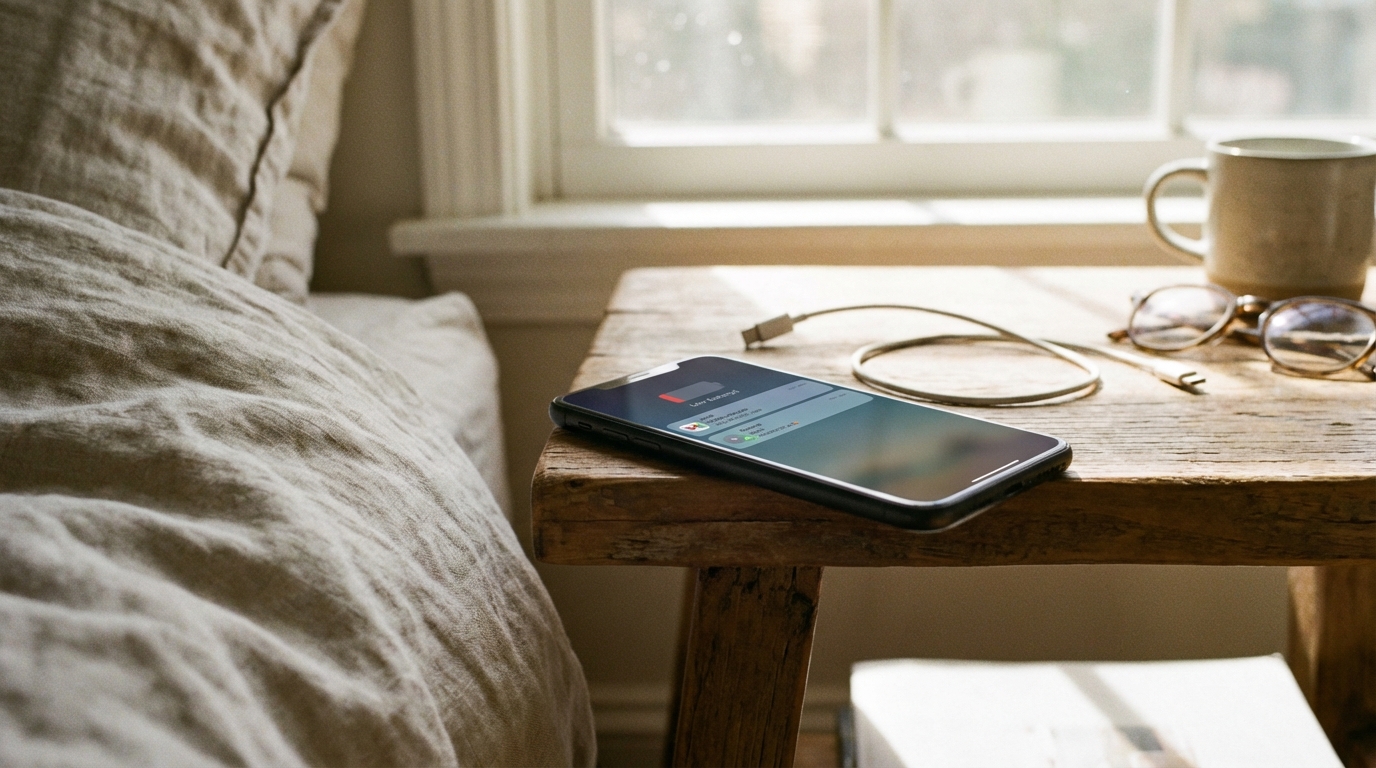
Many people place their phone on a nightstand with a full or nearly full battery and wake up to a surprising drop in charge. The screen was off, the phone was not in use, and yet the battery percentage fell more than expected. This overnight drain can feel mysterious, but it usually has clear causes tied to settings, apps, and how modern phones stay connected. Understanding what happens while a phone appears to be sleeping can make the behavior easier to explain.
Smartphones are designed to remain active in small ways at all times. Even when the display is dark and no apps are open, the system continues to manage connections, update data, and protect the device. These background tasks are meant to improve convenience and reliability, but they also use energy. Overnight drain is often the result of many small actions adding up rather than one major problem.
How Phone Batteries Behave Overnight
Phone batteries do not truly rest when a device is idle. The operating system keeps essential services running so the phone can receive calls, messages, and alerts at any time. This constant readiness requires a steady, low level of power. Over several hours, even a small draw can lead to a noticeable drop in battery percentage.
Battery percentage is also an estimate, not a perfect measurement. The system calculates remaining charge based on voltage, usage patterns, and battery health. Overnight, as the battery cools or warms slightly, the estimate can change. This means some of the drop seen in the morning may be due to recalculation rather than actual heavy use.
Cellular Network Activity
One of the largest contributors to overnight battery drain is the cellular radio. Phones regularly check in with nearby cell towers to maintain a strong connection. In areas with weak signal, the phone may work harder to stay connected. This extra effort uses more power, even when no calls or texts arrive.
Signal strength can change at night due to network maintenance or environmental factors. If the phone is placed in a location where the signal is poor, such as a basement or interior room, the cellular radio may increase its power output. This behavior can significantly raise overnight battery use without any visible signs to the user.
Wi-Fi and Bluetooth Connections
Wi-Fi and Bluetooth are designed to be low power, but they still contribute to battery drain. When Wi-Fi is enabled, the phone scans for known networks and maintains a connection if one is available. Background data transfers can occur quietly, such as app updates or data syncs.
Bluetooth can also stay active overnight, especially if the phone is paired with devices like smartwatches, earbuds, or fitness trackers. These connections may exchange small amounts of data to stay synchronized. Over several hours, this constant communication can add to battery loss.
Background App Activity
Many apps are allowed to run tasks in the background. These tasks can include checking for new content, refreshing feeds, or syncing data with servers. While each app may only use a small amount of power, the combined effect of many apps can be significant.
Social media, news, and messaging apps are common examples. They are designed to stay up to date so that notifications are ready when the user wakes the phone. If several of these apps are active overnight, the battery drain can be higher than expected.
Automatic App Refresh
Automatic app refresh allows apps to update their content even when not in use. This feature helps apps load quickly when opened, but it also requires background processing. Overnight, these refresh cycles can repeat multiple times.
Some operating systems manage this intelligently by learning usage habits. However, if many apps request frequent updates, the system may still allow them to run. This can lead to steady power consumption while the phone appears idle.
Push Notifications and Alerts
Push notifications rely on a constant connection to notification servers. The phone keeps a channel open so it can receive alerts instantly. Each time a notification arrives, the system wakes briefly to process it.
Even silent notifications can cause this wake activity. Apps may send background notifications for data updates rather than user alerts. Overnight, these small wake-ups can happen dozens or even hundreds of times.
Location Services Running in the Background
Location services can be a hidden source of overnight battery drain. Some apps request location access even when not actively used. This can include weather apps, navigation tools, or services that track movement for fitness or advertising purposes.
When location access is set to always allow, the phone may periodically activate GPS, Wi-Fi scanning, or cellular triangulation. These processes are more power-intensive than many other background tasks. If several apps use location data overnight, the battery impact can be noticeable.
Operating System Maintenance Tasks
Phones often perform maintenance tasks during idle periods. These tasks can include indexing files, optimizing app data, and cleaning up temporary storage. Nighttime is a common window for this activity because the phone is not actively used.
Software updates may also download or prepare in the background. Even if an update does not install overnight, parts of it may be fetched and verified. These system-level actions are important for performance and security but do require power.
Cloud Sync and Backups
Cloud services play a major role in modern smartphones. Photos, messages, contacts, and app data are often synced automatically. Overnight, the phone may upload new data created during the day.
Automatic backups can also run while the phone is idle. These backups are designed to happen quietly, but they may involve large data transfers. Depending on the amount of data and network conditions, this process can use a meaningful amount of battery.
Email Fetch and Account Sync
Email accounts can be set to push new messages instantly or to fetch them at regular intervals. Push email keeps a constant connection open, while frequent fetch intervals cause repeated checks. Both methods involve background activity.
In addition to email, many accounts sync calendars, contacts, and notes. Each account may sync on its own schedule. Overnight, these syncs can overlap and create steady background usage.
Widgets and Live Content
Widgets provide quick access to information on the home or lock screen. Weather, news, and calendar widgets often update automatically. These updates may happen even when the phone is not actively in use.
Live wallpapers or dynamic lock screens can also refresh content in the background. While visually appealing, these features may increase power use compared to static images. Overnight, the impact can add up.
Screen Wake Events
Even when the screen is off, certain events can briefly wake it or activate sensors. Notifications, motion detection, or proximity changes can trigger short wake cycles. These moments are usually brief but frequent.
Features like raise-to-wake or double-tap-to-wake rely on sensors that stay active. While designed to be efficient, they still consume some power. Over many hours, this sensor activity contributes to battery drain.
Alarms, Timers, and System Checks
Alarms and timers require the system clock to stay accurate and responsive. The phone periodically checks time synchronization to ensure alarms ring on schedule. This process is generally low power but still part of overnight activity.
System health checks may also run in the background. These checks monitor storage, memory, and security status. They help keep the device stable but add to the overall power usage.
Battery Health and Aging
As batteries age, they lose capacity. An older battery may drain faster overnight even if usage patterns have not changed. This is because the battery cannot hold as much charge as it once did.
Battery health also affects how accurately the system estimates remaining charge. Overnight drops may appear larger on older batteries due to voltage changes. This can make normal background use seem more severe.
Temperature and Environmental Factors
Temperature has a strong effect on battery behavior. Cold environments can reduce battery efficiency, leading to faster percentage drops. Warm environments can increase chemical activity and energy loss.
Overnight temperature changes in a room can influence the battery. A phone placed near a window, heater, or air conditioner may experience more drain. These environmental effects are often overlooked.
Charging Habits and Accessories
Some people leave their phone plugged in overnight, while others unplug it before sleeping. Inconsistent charging habits can affect how battery percentage appears in the morning. Trickle charging and optimization features can also influence readings.
Low-quality chargers or cables may not deliver stable power. If the phone is plugged in but not charging efficiently, it may still lose charge. This can create the impression of heavy overnight drain.
Differences Between iOS and Android Behavior
Different operating systems manage background activity in different ways. iOS tends to limit background tasks more aggressively, while Android offers more flexibility to apps. These design choices affect overnight battery behavior.
Settings menus also differ, which can make it harder to compare experiences across devices. An app that drains little power on one platform may behave differently on another. Understanding these differences helps explain why overnight drain varies by device.
Common Settings That Increase Overnight Drain
Certain settings are known to increase background activity. These settings are often enabled by default for convenience. Reviewing them can help explain unexpected battery loss.
The following list highlights common settings that may contribute to overnight drain:
- Always-on display features that keep parts of the screen active.
- High-frequency email or data sync intervals.
- Location access set to always allow for multiple apps.
- Automatic downloads for apps and media.
- Continuous connectivity to wearables or smart devices.
Each of these settings serves a purpose, but together they can create steady power use. Overnight, when the phone is idle for many hours, their combined effect becomes more noticeable.
Apps Known for High Background Usage
Some types of apps are more likely to use power in the background. These apps are often designed to stay current and responsive. Their behavior can explain why battery drain varies from night to night.
Apps that frequently check servers or process data are common contributors. Social networks, video platforms, and cloud storage tools fall into this category. Monitoring their background activity can reveal patterns tied to overnight drain.
System Bugs and Software Glitches
Occasionally, overnight drain is caused by a software issue. A bug can prevent the phone from entering deep sleep or cause an app to run continuously. These issues may appear after updates or app installs.
Restarting the device or updating software often resolves these problems. When a bug is present, battery drain may be much higher than usual. This makes the issue stand out compared to normal background use.
How Usage Patterns Affect Overnight Drain
What happens during the day can influence overnight behavior. Heavy app use, large downloads, or many photos can trigger overnight syncs and backups. The phone may be catching up on tasks while idle.
Changes in routine also matter. Traveling, switching networks, or installing new apps can alter background activity. These factors help explain why overnight drain is not always consistent.
Understanding Battery Usage Reports
Most phones provide battery usage reports that show which apps and services used power. These reports can include background activity data. Reviewing them can clarify what happened overnight.
Interpreting these reports takes some context. A small percentage used by many apps may still add up. The reports are best viewed as clues rather than exact measurements.
Why Some Nights Are Worse Than Others
Overnight battery drain can vary widely from one night to the next. Network conditions, app behavior, and system tasks change constantly. A night with higher drain does not always indicate a problem.
Temporary factors such as updates, backups, or poor signal can spike usage. Once these tasks complete, drain may return to normal. This variability is a normal part of how smartphones operate.
Myths About Overnight Battery Drain
There are many myths surrounding phone batteries. Some people believe that any overnight drain means the battery is failing. In reality, some drain is expected due to background processes.
Another myth is that closing all apps before bed stops drain completely. While it may reduce some activity, the system and services still run. Understanding these myths helps set realistic expectations.
The Role of Security and Monitoring Features
Security features such as malware scanning and device monitoring can run in the background. These processes help protect data and privacy. They may perform checks during idle periods.
Find-my-device services also remain active overnight. They allow the phone to be located or locked remotely. This constant readiness requires a small but steady amount of power.
Smart Home and Connected Services
Phones connected to smart home systems may communicate with other devices overnight. This can include syncing settings, receiving alerts, or maintaining connections. Each interaction uses a small amount of energy.
As more services become connected, background activity increases. The phone acts as a hub for many systems. This role can contribute to overnight battery use.
Why Complete Zero Drain Is Unrealistic
Expecting a phone to lose no battery overnight is unrealistic. Modern smartphones are complex, always-connected devices. They are designed to stay alert and responsive at all times.
The goal of system design is to balance convenience, security, and efficiency. Some battery drain is the cost of these features. Recognizing this helps put overnight changes in perspective.